To guarantee the accurate placement of your release on Apple Music and/or Spotify, or within the appropriate artist channel on YouTube, we recommend including your Artist ID when creating your release in the Backstage.
Discovering your Artist ID is a straightforward process:
Spotify - Web Browser
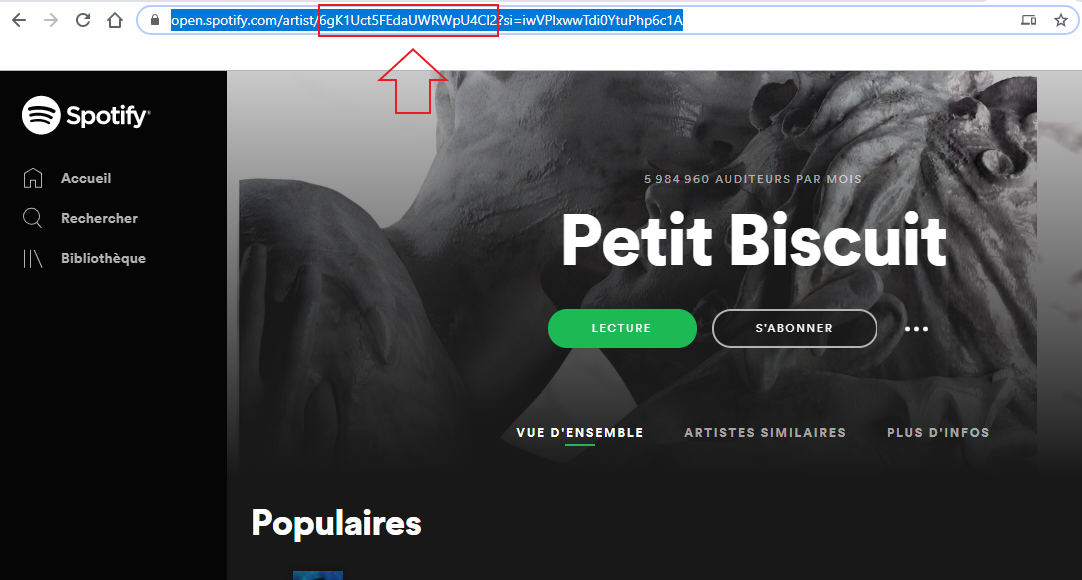
When viewing your artist's page through a web browser, you can identify the Artist ID (comprising alphanumeric characters) positioned between "artist/" and "?" in the URL:
Spotify App
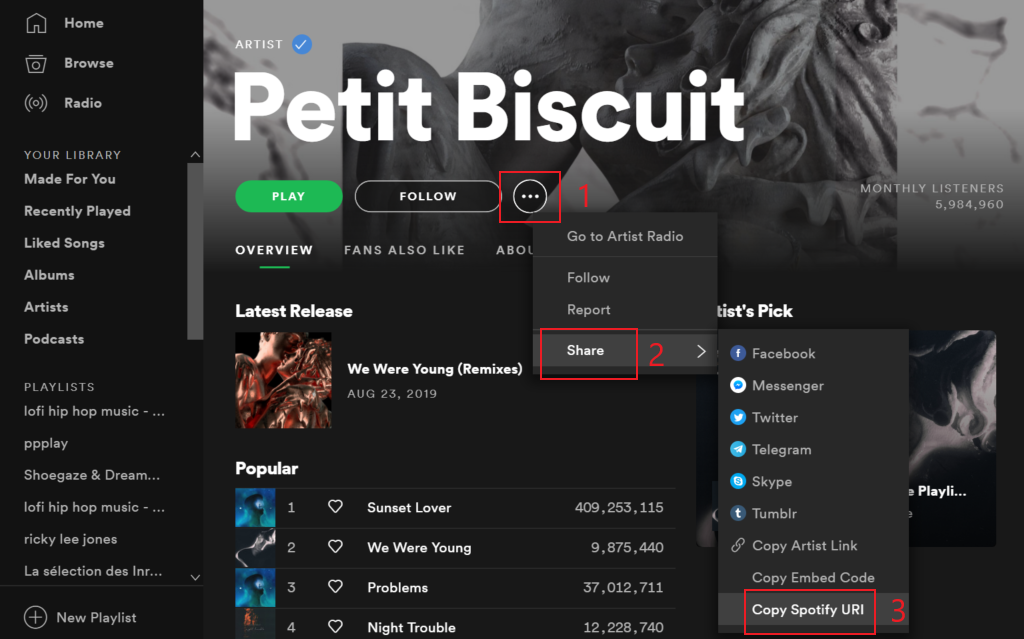
Locating your Artist ID on the Spotify app is simple. By copying the artist's Spotify URI, you can extract the Artist ID from the last alphanumeric characters. For instance, in the Spotify URI "spotify:artist:6gK1Uct5FEdaUWRWpU4Cl2," the portion "6gK1Uct5FEdaUWRWpU4Cl2" represents your Artist ID.
Additionally, you have the option to directly copy and paste the entire Spotify URI into our system, as it will automatically recognize and extract your Artist ID.
Apple Music - Web Browser
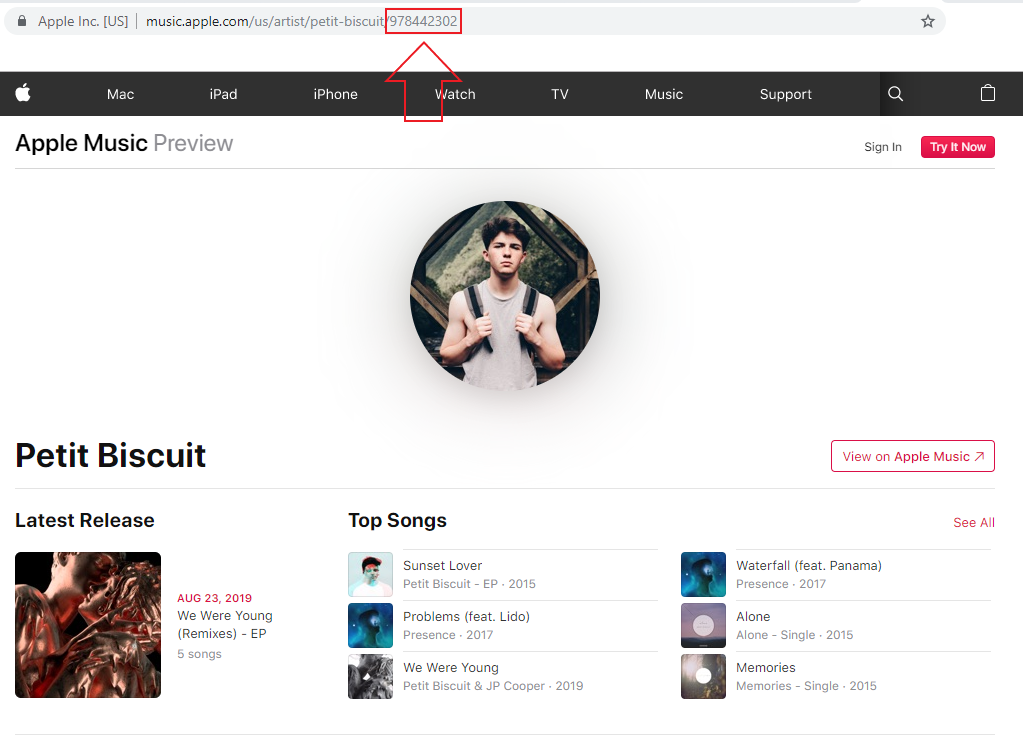
To find the artist's Apple ID while using a web browser, navigate to the end of the URL. The Apple ID, composed of alphanumeric characters, is situated at the conclusion of the web address:
Apple Music App
To ascertain the Artist ID on the iTunes/Apple Music app, simply copy the link, which generates the identical URL as the web browser. Your Artist ID is represented by the concluding characters of the link:

Last Updated: 23 Jan 2024